Record the exam, dictate a quick memo or paste an existing note. Create clinical notes in your format, letters back to referring dentists and clear instructions for patients—all from the same clinical context, ready for your review.
“There’s nothing like walking out the door at 5 PM with all my chart notes and referral communications complete for the day.”
Andrew C. Dreyer, DDS, MSDiplomate, American Board of PeriodontologyBakersfield Periodontics
From the exam to the note, letter and next steps.
Capture the clinical details once. Put them to work in the documents your practice, referring dentists and patients need.
Clinical notes in your format.
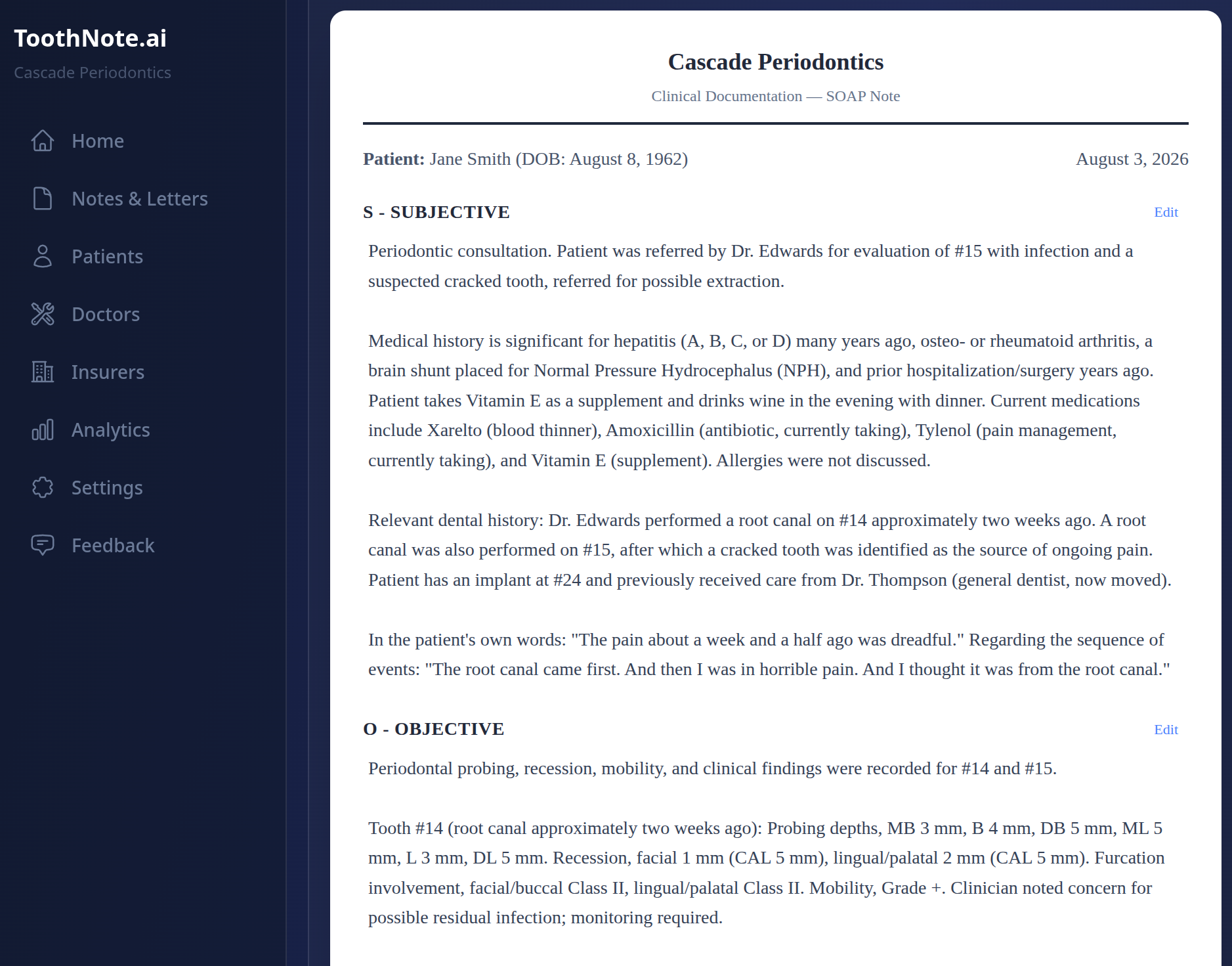
Turn the encounter into a structured note using your practice’s templates. Keep your preferred sections, terminology and level of detail, then review and edit the draft before adding it to the patient record.
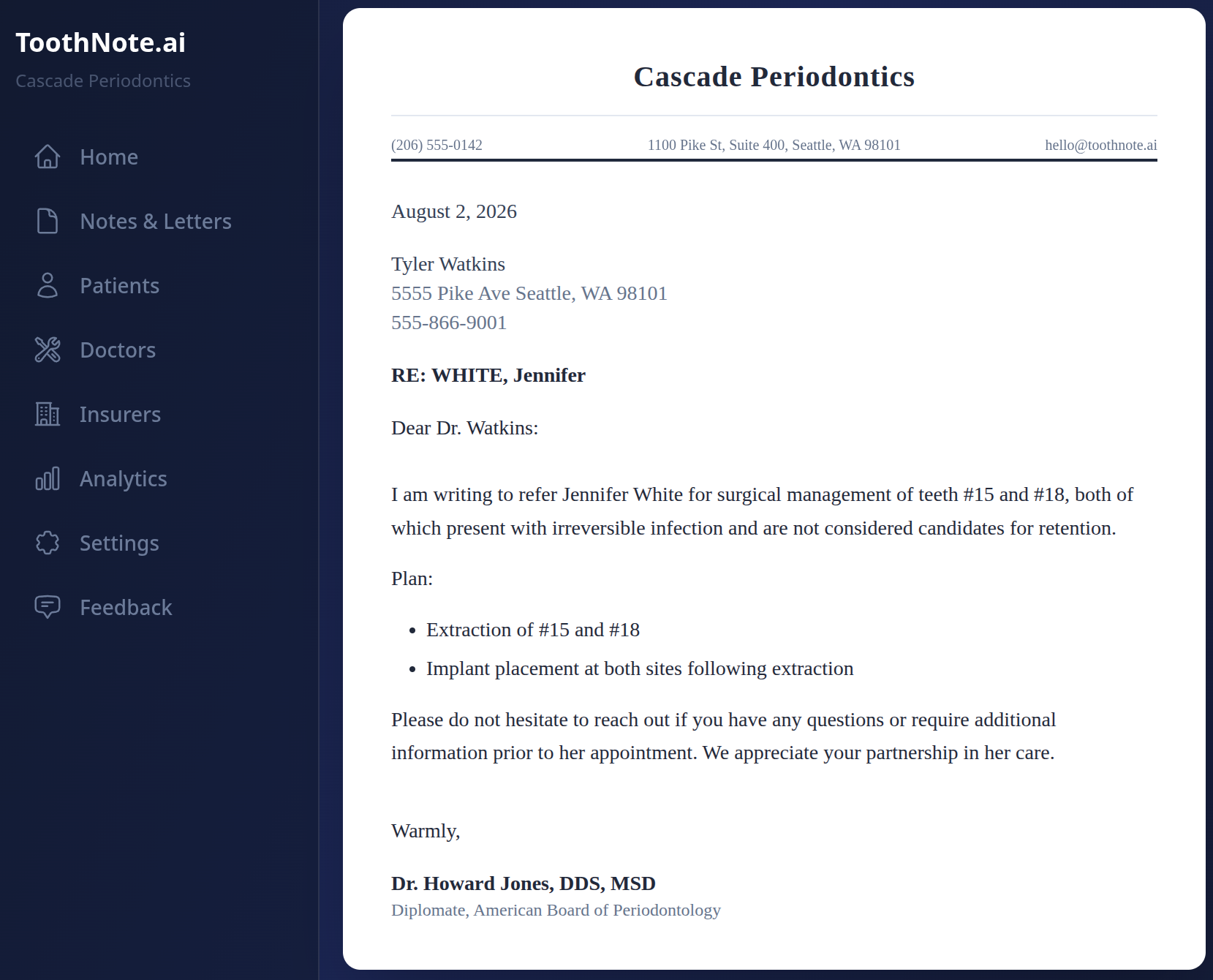
Use a short dictation or an existing exam note to draft the letter back: findings, treatment and the next step, on your practice’s letterhead. Review the letter, then email it or download the PDF.
Give patients a plain-language explanation of the findings, treatment discussed and next steps. Review their summary, then print it, download a PDF or send it by email so they can refer to it at home.
Speak periodontal measurements as you examine the patient. Review the six-site chart and carry the confirmed findings into the clinical record alongside your diagnosis and treatment plan.
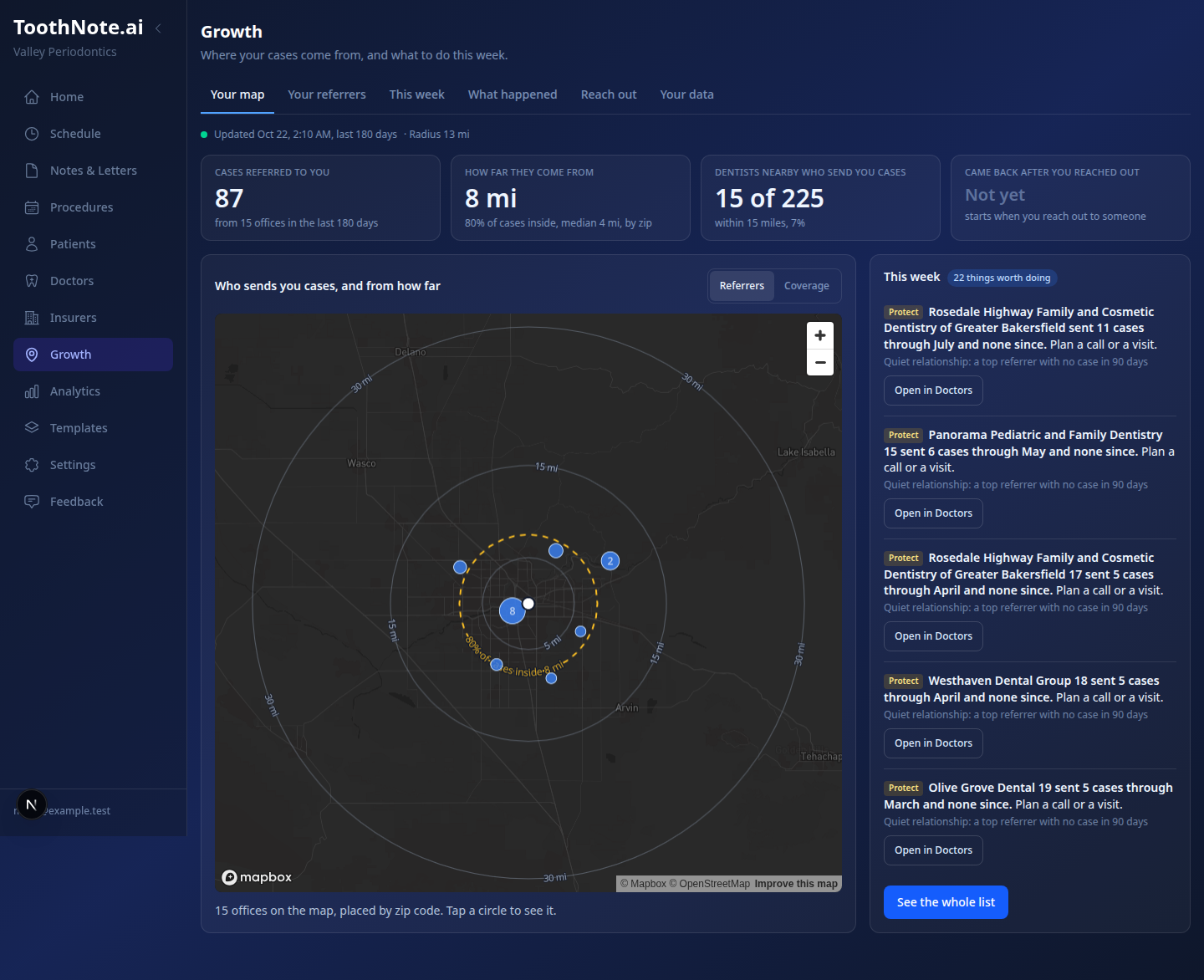
Turn referral activity into a plan for your practice. See who sends you cases, where relationships need attention and which nearby offices you could reach next.
Know your referral network.
See which offices send you cases, how often they refer and how far those relationships reach. Bring referral activity and geography together to understand the network your practice already has.
Spot strong relationships, notice offices that have gone quiet and find nearby practices you have yet to meet. Use that picture to decide where a call, visit or introduction would be most useful.
Make the next connection.
Give yourself or your team a focused list for the week: welcome a new referrer, reconnect with an office that has stopped sending cases or introduce your practice to a dentist nearby.
Start with the relationship history and a draft outreach note. Record calls, visits and follow-ups so the next conversation builds on the last, and see when an office refers again after you reach out.
Email marketing with Constant Contact and HubSpot.
Connect your practice’s Constant Contact or HubSpot account to hand off approved contact lists and campaign copy from ToothNote.ai. Build outreach around the offices you want to welcome, reconnect with or introduce to your services.
Prepare the audience and message in Growth, then review and send through your email marketing tool. Keep using the account your team knows, with a clearer reason for who you’re contacting and what to say.
See it at booth 1621.
See clinical notes, referral letters and practice growth in action. Bring your questions—we’ll walk through how ToothNote.ai fits your practice.


 Explore clinical notes