Understand what Format controls
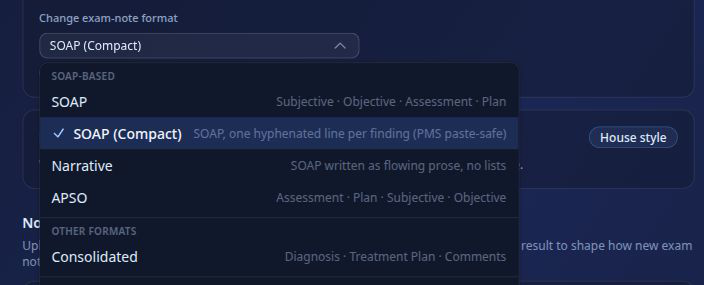
In ToothNote.ai, Format means the shape and organization of a document. It controls which sections appear, what they are called, the order in which information appears, and whether the result uses bullets, compact lines, or narrative prose.
Format does not mean PDF, DOCX, HTML, or JPG. Those are output types under Delivery. It also does not control whether the writing sounds like the clinician. That belongs to Voice.
Start with real outputs
Generate two or three documents with the defaults before changing Format. Real clinical work makes it easier to identify whether the practice truly needs a different structure or simply prefers different wording.
- If the wording does not sound like the clinician, adjust Voice.
- If the sections or information order are wrong, adjust Format.
- If the file type or sending method is wrong, adjust Delivery.
Choose the exam-note structure
Each clinician can use the house standard or select the exam-note shape that best matches how the practice documents an encounter. Procedure notes have their own Format settings.
Use a starter template or create your own
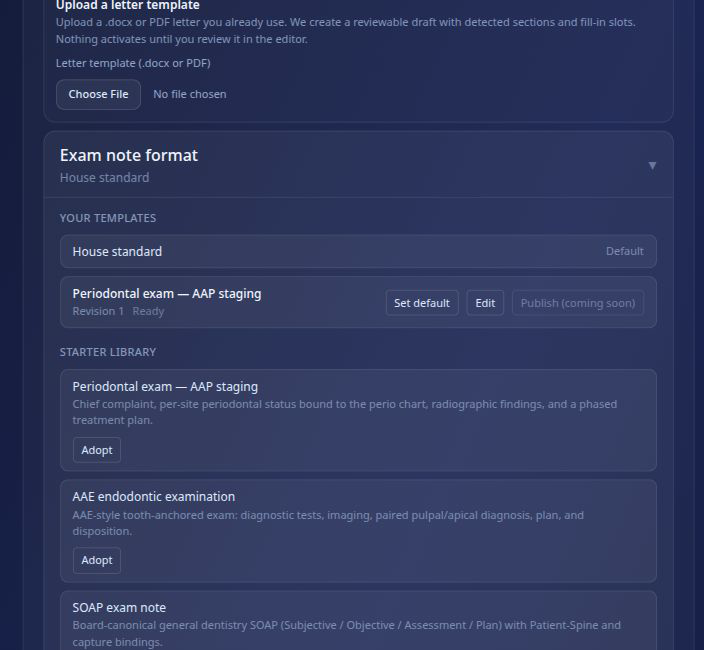
The template library gives the practice three sensible starting points. Choose the least complicated option that produces the document you need.
ToothNote.ai includes a built-in template editor for creating and revising practice templates. You can also upload an existing DOCX or PDF letter template as a starting point. ToothNote.ai detects sections and fill-in areas, then creates a reviewable draft. Nothing becomes active until the practice reviews it in the editor.
Good template inputs
- A current practice-approved blank template.
- A reviewed document with the desired section order.
- A specialty starter that only needs focused edits.
Templates to avoid
- Outdated forms.
- Documents from another practice without approval.
- Examples whose structure you do not want repeated.
Configure referral-letter structure
Referral-letter Format controls how the approved clinical story is arranged for the referring doctor. It is separate from the clinician's Voice.
If the letter structure is right but the language still feels generic, return to Voice settings instead of adding more layout instructions.
Configure treatment templates
Use treatment templates for repeatable procedure documentation. A useful template makes room for the facts that vary by case while keeping the expected structure consistent.
- Procedure and site.
- Anesthesia, materials, and devices.
- Findings and complications.
- Postoperative instructions and follow-up.
Review patient-facing structure
The Patient Take-Home has a different job from the clinical note and referral letter. It should present findings and next steps in a sequence the patient can follow.
- Lead with the reason for the visit and the main findings.
- Separate recommended treatment from home-care instructions.
- Make the next action and follow-up timing easy to find.
- Keep clinician-only chart language out of the patient document.
Test the change
Generate a fresh document from a real workflow after each meaningful Format change. Do not judge a structural setting only from the setup screen.
- Confirm that every expected section appears.
- Check that information is in the right section.
- Look for repeated or missing content.
- Compare the new result with the practice's preferred example.
Keep Delivery separate
Format is the structure of the document. Delivery is what happens after the clinician reviews and approves it.
Keeping these controls separate makes customization easier to diagnose and keeps one delivery preference from changing the clinical structure.